From voice note
to booked meeting.
Tools for prospecting by voice. See who listened, follow up at the right moment, and let your prospect book a meeting.
Coming soon to iOS and Android. 3 free voice notes to try.

- You send your voice noteVoice note, length 0:33
- Sarah listens and you get notifiedSarah Martin listened to your voice note100% listenedjust now
- She books a time30-minute callThursday, 10:00 AM · booked by Sarah
One conversation, start to finish.
Usually you send, then you wait. Here, every step tells you what to do next.

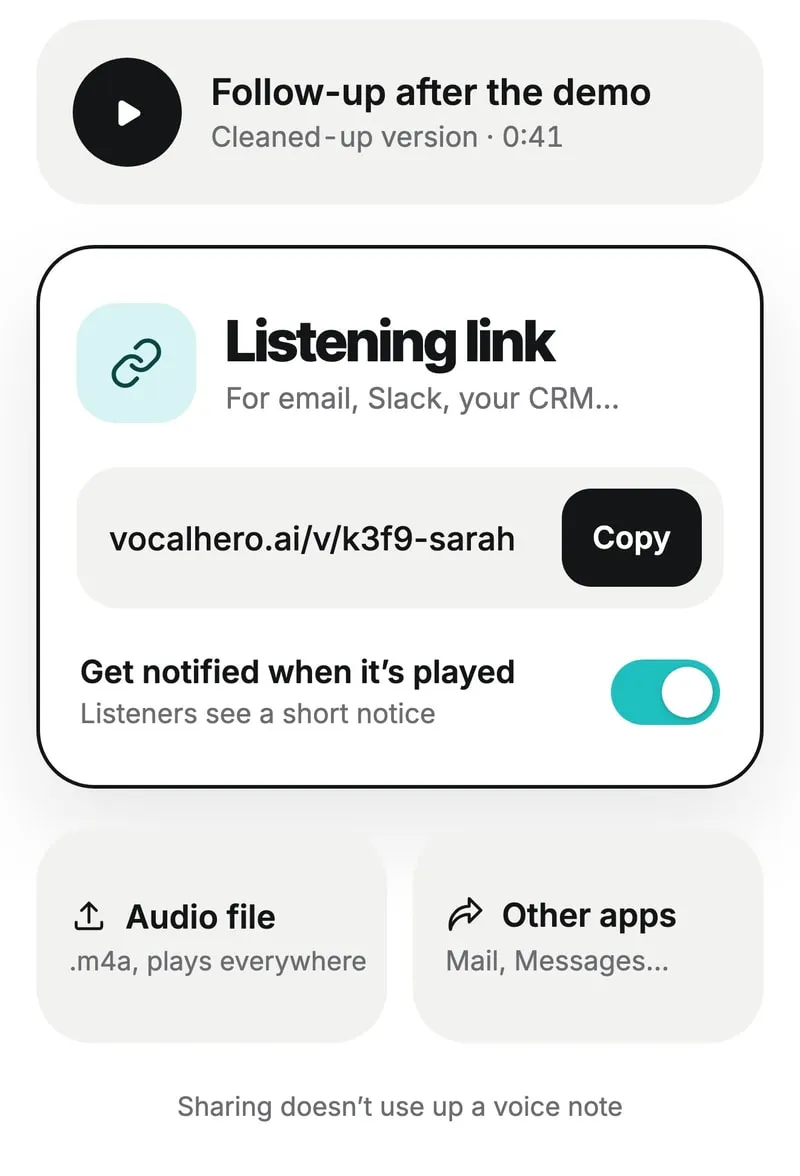
Send.
As a private listening link, via LinkedIn, WhatsApp or email.
- Get notified when it’s playedThe page lets them knowSarah Martin listened to your voice noteFollow-up after the demo · 100% listenedjust nowThomas Reed listened to your voice noteQuick intro · 80% listened2h ago
Get notified.
A notification the first time it’s played. The listening page lets them know you’ll be notified.
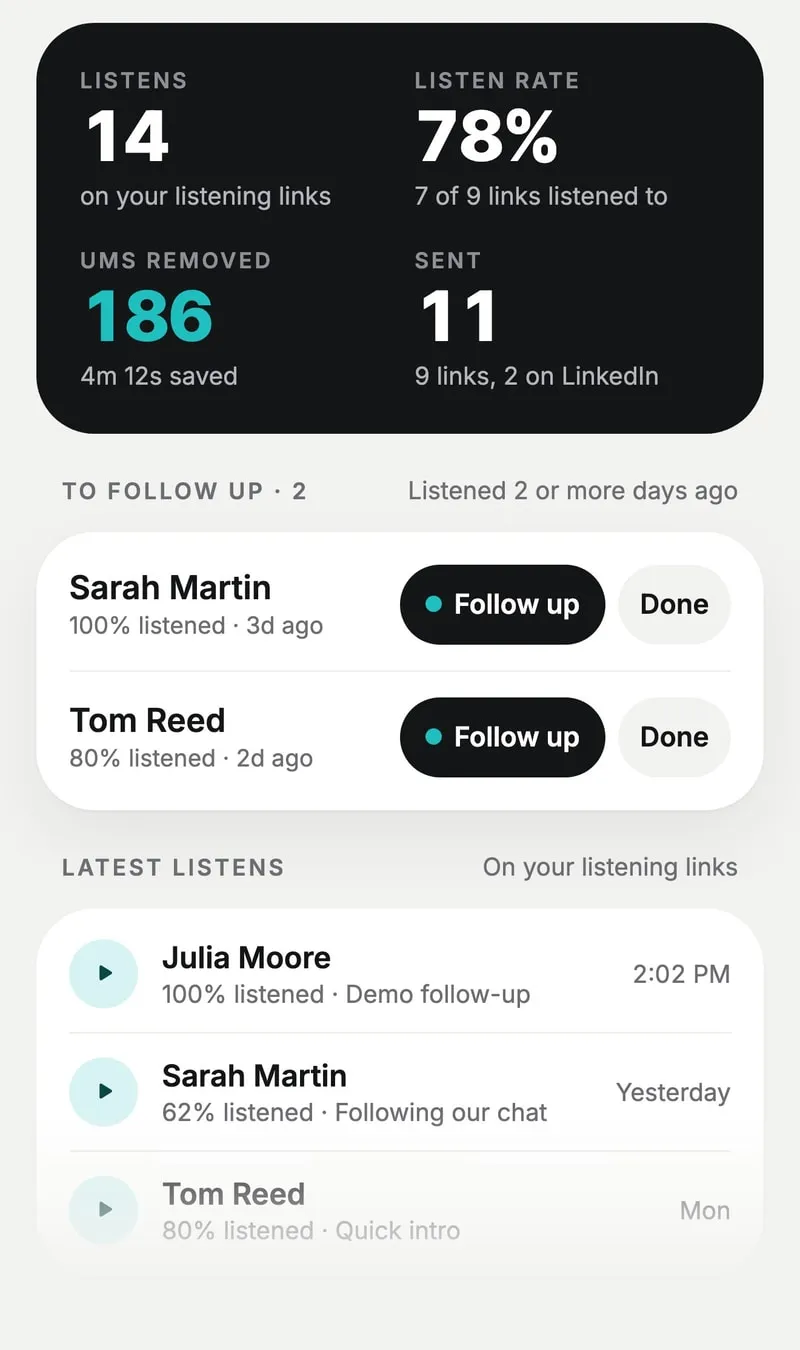
Follow up at the right moment.
The Activity tab shows who listened, how far, and who to follow up with.
 Book a time
 Follow-up after the demoA voice note for Sarah · 0:33
- Calendly
- Cal.com
- Google Calendar
They book.
A button under your voice note opens your calendar. Your prospect listens, then picks a time.


Connection accepted, voice note sent.
- You send your connection request.Your voice note is ready and waiting.
- Sarah accepts.No need to keep checking.
- Your voice note is sent automatically.It lands right in the chat. No link to paste.


Your toolkit.
Compare plansFor everyone
FreeKnow what happens to every voice note.
- Available
Listen notifications
Get notified as soon as someone plays your voice note.
- Available
Activity and follow-ups
Who listened, how far, and who to follow up with.
Starter
€17.99 excl. VAT / monthEverything you need to prospect properly.
- Available
Translation in your voice
Prospect in Spanish or French, still in your own voice.
- Coming soon
Meeting booking
A button under your voice note that links to Calendly, Cal.com or Google Calendar.
Pro
€49.99 excl. VAT / monthEverything in Starter, for people who prospect for a living.
- Early access
Direct sending on LinkedIn
Your voice note is sent automatically as soon as your connection request is accepted.
- Coming soon
Booking tracking
Who clicked your button, and who booked.
- Pro plan
Your tools and AI agents
Plug VocalHero into your own workflows (MCP).
Questions.
Won’t a prospecting voice note feel like spam?
A voice note you record yourself, for one person, is the opposite of a copy-paste message. VocalHero cleans up your take; it doesn’t write it.
Is it really my voice?
Yes. VocalHero fixes your take and says the corrections in your own voice. It’s not a synthetic voice talking for you.
Does my prospect need to install the app?
No. They open your link in their browser and listen.
Do they know I get notified?
Yes. The listening page tells them you’re notified when they listen.
Which calendars will booking work with?
It uses your scheduling tool’s link: Calendly, Cal.com, Google Calendar and more. It’s included starting with the Starter plan.
Does it connect to my tools?
Yes, on the Pro plan. Connect VocalHero to your tools and AI agents to create and send voice notes from your own workflows.

Your next meeting starts with a voice note.
3 free voice notes to try.
Join the waitlist (opens in a new tab)